
Menus
Info Screen
If you press  during a match, it will show the info screen. You can see information about the match, including looking at the map, using pins, and checking ranks.
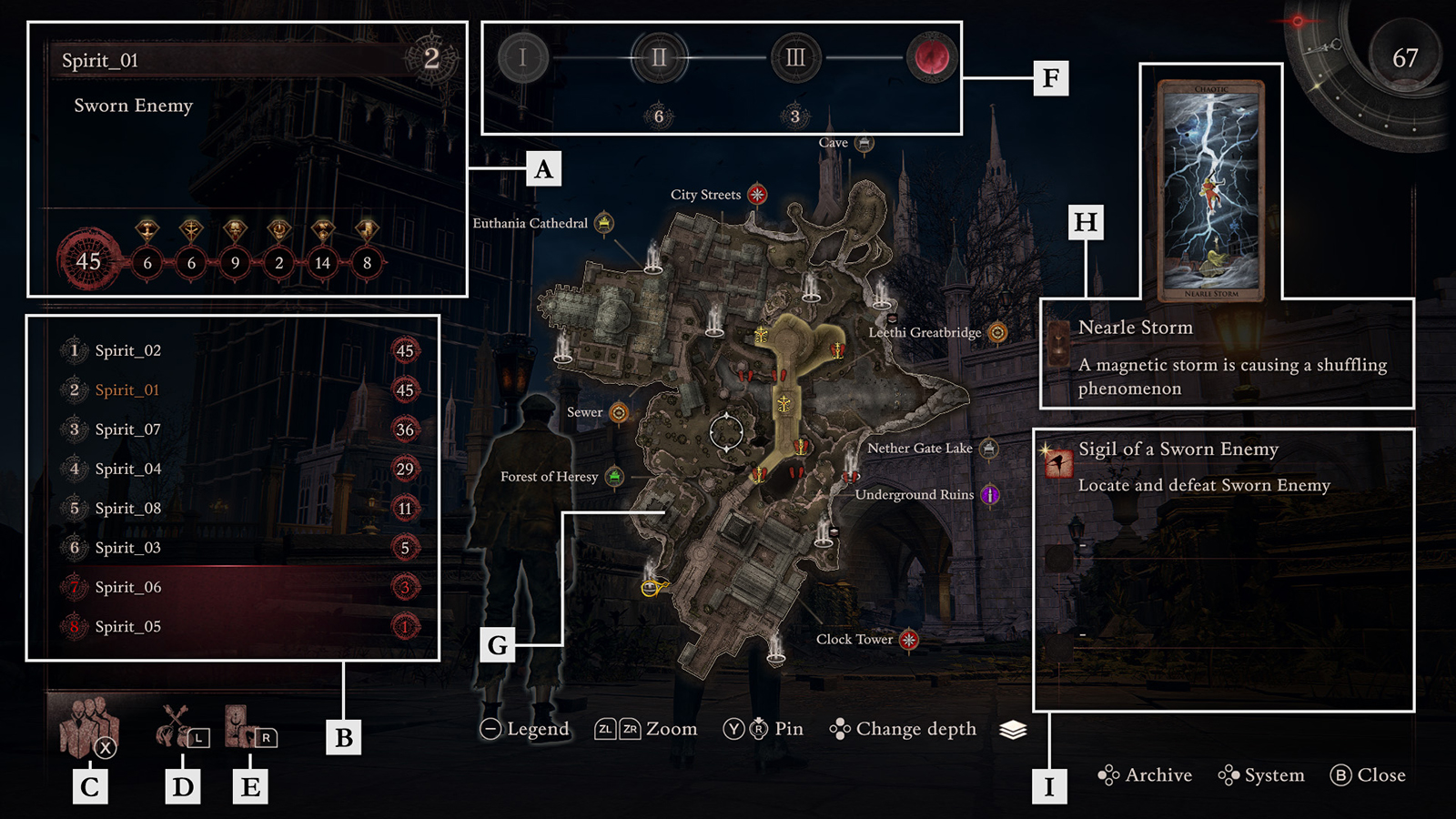
Player Info
Shows the player name, current rank, their Sigil role, and their acquired Virtue.
Ranking
Shows the players participating in the match and their acquired Virtue.
Encountered Bloodsworn
Shows a list of players you've encountered in the match. You can petition players on the list for an alliance.
Character Status
Check a character's status by pressing  .
.
Event/Sigil Details
Check information on the current event and Sigil by pressing  .
.
Phase
Check information about the current phase. For phases where there will be a culling, the number of people who can pass through the culling is shown under the phase.
Map
Shows the map you are currently playing on.
Current Event
Shows the currently activated event.
Sigil
Shows the Sigil's objective.
Operating the Info Screen

Check encountered Bloodsworn

/ 
Operate pins
Character Status
Event/Sigil details

/ 
Operate cursor position

Zoom in on the map

Zoom out on the map

/ 
Change map depth

Open the archive

Open System

Open the legend
In "System" > "Game Options," by changing "Left Stick Control on Info Screen" to "Character," you can change from controlling the cursor position to controlling character movement.
Pin
By pressing or on any point on the map, you can place a pin to aid exploration.
Instant Travel
Travel to distant locations by selecting  on the map. This cannot be used immediately after the start of a phase, immediately after reviving, during a battle, or for a certain duration after you instant-travel. Check whether it's possible to instant-travel on the game screen.

Instant Travel Not Possible
Instant Travel Possible
Blood Manifestation and Quick Items
If you press during a match, it will show the Blood Manifestation and Quick Items menu. You can change what Power of Blood is manifested and the items you have equipped.
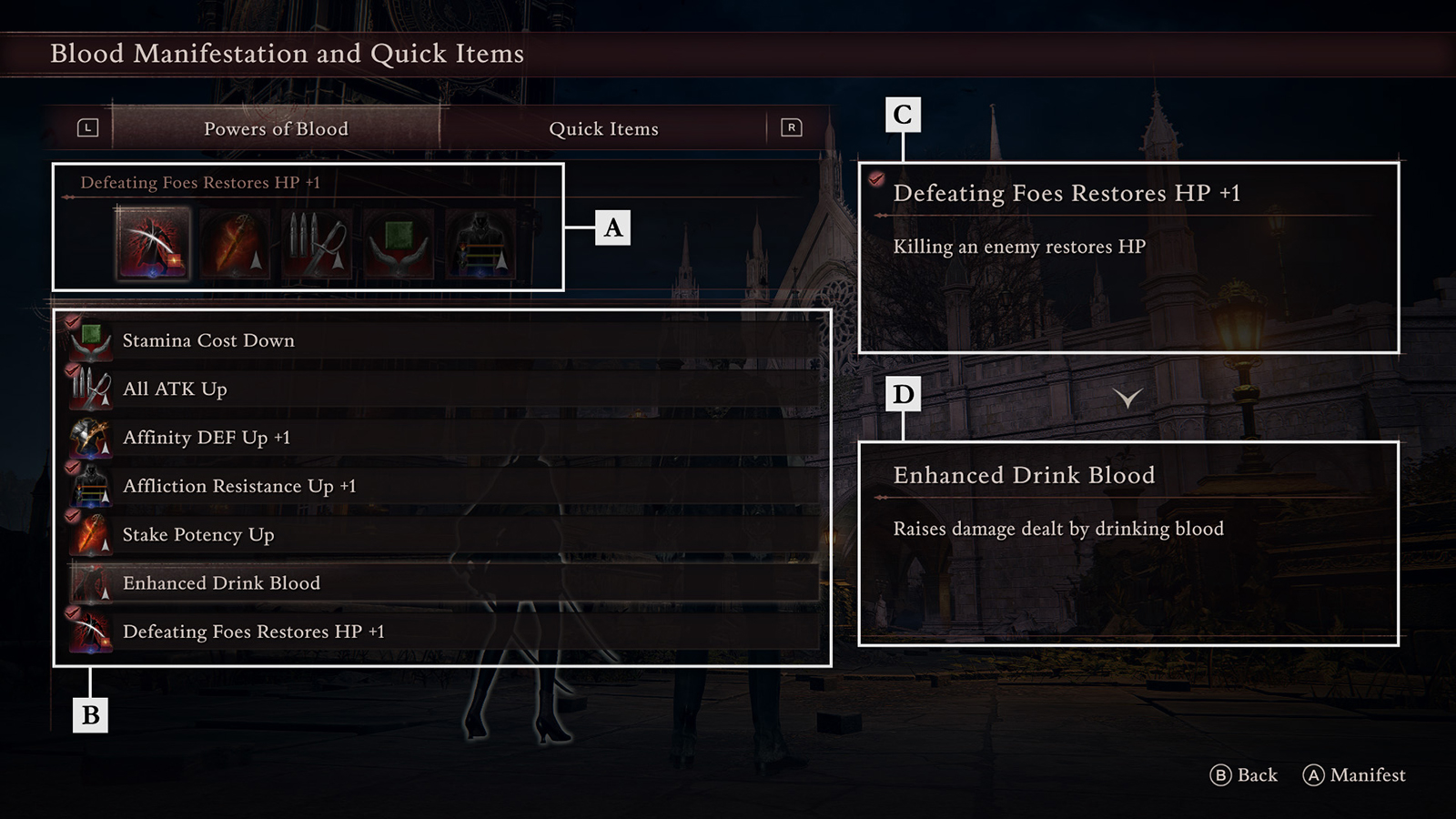
Equipped Powers of Blood / Items
The currently manifested Power of Blood and equipped item.
Possessed Powers of Blood / Items
Shows the Powers of Blood and items you currently possess.
Power of Blood / Item Before Change
Shows the Power of Blood / item currently set in the selected slot.
Currently Selected Power of Blood / Item
Shows the Power of Blood / item you are trying to set in the selected slot.
System
You can change the game system settings.
Game Options
Camera Options
Image Settings
Sound Settings
Network
Controller Settings
Quit Game